Using the Best Task Management Tools of 2025 to Manage Your Remote Work Tasks

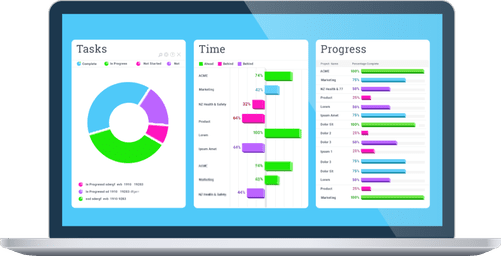
Managing your remote work tasks using the best task management tools of 2025 is a smart strategy for boosting productivity and improving your professional lifestyle. Furthermore, these tools can help streamline workflows and ensure that deadlines are met efficiently.
With the shift towards remote work, tools are essential to help organize tasks, streamline collaboration, and ensure deadlines are met efficiently.
In this article, I’ll share the top 15 task management tools I use to enhance productivity while working remotely, along with some tips to overcome common task management challenges.
Before then, let us look at why the involvement of task management tools is important to remote work.
Why Remote Work Needs Task Management Tools
Remote work brings its own set of challenges. Without a clear system, managing tasks can become overwhelming, especially when you have multiple deadlines and projects.
That’s where task management tools come in. In fact, the introduction of these tools to my remote work equipment helped me stay organized, manage workflows, and maintain productivity, no matter the distance.
Top 15 Task Management Tools for Remote Work in 2025
Below are the 15 best task management tools I recommend for 2025. These tools have helped me stay on top of my projects, and they can do the same for you.
Managing your tasks effectively can help you overcome simple yet pressing issues like procrastination caused by poor organization, lack of clarity, or feeling overwhelmed by deadlines.
Whether you’re an individual or part of a team, there’s something here for everyone. Continue reading to discover.
1. Trello
Best for Visual Organization and Simplicity
Trello is a visual task management tool that uses boards, lists, and cards to organize tasks. Additionally, it’s simple, intuitive, and perfect for remote teams or individuals looking to keep track of tasks and projects visually.
Key Features:
- Boards, lists, and cards
- Customizable templates
- Collaboration and automation (Butler)
- Mobile and desktop support (Web, iOS, Android)
Why We Recommend It:
Trello is user-friendly and great for personal or small team use. It’s especially effective for visual task tracking and project management.
2. Asana
Best for Teams and Complex Projects
Asana is a comprehensive tool for managing both simple tasks and large projects. It includes advanced features like task dependencies, timeline views, reporting, and workload tracking, making it perfect for teams working on complex projects.
Key Features:
- Gantt charts
- Task dependencies
- Collaboration tools
- Reporting and dashboards
Why We Recommend It:
Asana offers flexibility, allowing users to handle anything from simple to-do lists to large, intricate project workflows.
3. ClickUp
Best for Comprehensive Task and Project Management
ClickUp is an all-in-one tool that integrates tasks, documents, goals, and communications in one platform. Furthermore, it’s incredibly flexible and can be customized to suit your team’s unique workflows.
Key Features:
- Task lists, docs, and goal tracking
- Time tracking
- Customizable views (Gantt, Kanban)
- Integrations with Slack, Google Drive, and more
Why We Recommend It:
ClickUp is perfect for teams of all sizes due to its flexibility and comprehensive features.
4. Notion
Best for Knowledge Management and Personal Use
Notion is ideal for both personal use and remote teams. It allows you to create notes, to-do lists, task boards, and databases all in one place, making it a versatile tool for organizing work.
Key Features:
- Customizable pages and templates
- Real-time collaboration
- Database and task tracking
- Integration with other tools
Why We Recommend It:
Notion is excellent for creating personalized workspaces while keeping tasks, documents, and projects in one place.
5. Monday.com
Best for Team Collaboration and Workflow Automation
Monday.com is a visual task and project management tool, great for teams that need to collaborate and automate workflows. In addition, it’s highly customizable and adaptable to different team types and needs.
Key Features:
- Customizable boards and workflows
- Time tracking and workload management
- Integrates with Slack, Google Drive, and Zoom
Why We Recommend It:
Monday.com is perfect for teams that need clear project timelines and seamless communication.
6. Todoist
Best for Simple Task Management
Todoist is a simple yet powerful task manager, perfect for individuals and small teams. Moreover, it helps you keep track of your to-dos with task prioritization, reminders, and productivity tracking.
Key Features:
- Task prioritization
- Reminders and recurring tasks
- Integrates with Google Calendar and Alexa
Why We Recommend It:
Todoist is perfect for personal task management and small-scale team collaboration.
What You Need for a Successful Remote Work Setup
While task management tools are essential, there are other factors to consider when working remotely. Here are a few tips for maintaining productivity and staying organized:
- Set Clear Expectations: Communicate regularly with your team about deadlines and goals.
- Use Cloud Storage: Keep your files accessible and organized by using platforms like Google Drive or Dropbox.
- Focus on Work-Life Balance: Remote work can blur the lines between professional and personal time. Set boundaries to avoid burnout.
Conclusion on Task Management Tools for Remote Work
Choosing the right task management tool is key to staying organized and productive while working remotely.
Each of the tools listed above offers unique features that cater to different needs, whether you’re working solo or with a team.
By 2025, these tools will continue to evolve, integrating AI and automation to further streamline task management and enhance collaboration. Select the one that fits your needs best and start working smarter today!
Take Action Now! Get the best Task Management Tools for your Remote work
Don’t wait to optimize your remote work setup. Instead, try out one or more of the tools mentioned above to see which one works best for your workflow.
Click on the links to explore more about each tool and get started on your journey to better task management and improved productivity.
Have a favorite tool of your own? Leave a comment below and share your experience with the tools you’ve found most helpful for remote work!
You can drop a comment for our team, letting us know how we have helped you with this article and what we miss and failed to mentioned.
Thank you very much for reading till the end.


Post Comment